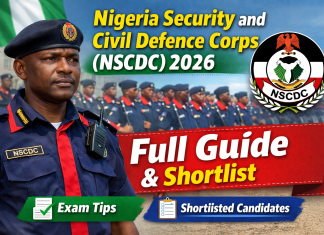


How to Check Your Name on Nigerian Army, Police & Paramilitary Shortlist
Every year, millions of Nigerian youths look forward to securing a secure and prestigeous job with the federal government. Among the most sought-after opportunities are positions within the Armed Forces, the Police, and various Paramilitary agencies. If you have recently applied for any of these recruitment exercises, the next crucial step is knowing how to check your name on the Nigerian Army, Police & Paramilitary shortlist. Many candidates miss out on their life changing opportunities simply because they didn’t know where or how to check their admission status in time. In this comprehensive guide, I will walk you through the exact steps to verify your screening status across different government portals so you dont miss your chance.
The High Demand for Uniformed Jobs in Nigeria
Working in the Nigerian military or paramilitary sector is not just a job; it is a profound calling to serve the nation. However, from an economic and practical standpoint, these roles offer incredible job security, a consistent monthly salary, comprehensive health benefits, and a guaranteed pension plan after retirement. This is exactly why whenever the Nigerian Army, Nigeria Police Force (NPF), Nigeria Customs Service (NCS), or the Nigerian Security and Civil Defence Corps (NSCDC) opens their recruitment portals, the web traffic is usually massive and highly competitive.
Because of this high competition, the selection process is heavily vetted. Agencies release shortlists in batches. Sometimes, you might find your name in the first batch, while other times, you have to wait for the supplementary list. Knowing exactly how to navigate these portals is very important. I have seen too many people rely on fake news on social media only to realize that the physical screening date has already passed. You definately don’t want to be in that heart-breaking position.
General Requirements Needed Before Checking Your Status
Before we dive into the specific step-by-step methods for each agency, you need to prepare your details. You cannot just go to a government portal and search your name randomly without your login credentials. Here are the basic informations you must have handy before you attempt to check your shortlist status online:
- Application ID or Reference Number: This is the unique code given to you when you successfully submitted your online application. It usually starts with the agency’s initials.
- Registered Email Address: The exact email you used to create your profile on the portal. Make sure you still have the password to this email.
- Phone Number: The active phone number linked to your application, BVN, and NIN.
- Portal Password: Your secret login credential for the recruitment dashboard.
- National Identity Number (NIN): Nowadays, almost all federal recruitments are tied strictly to your NIN to prevent identity fraud.
Make sure your internet connection is strong. Sometimes these recruitment portals experience severe server downtimes due to hundreds of thousands of applicants trying to check their names at the exact same time. If the webpage doesn’t load immediately, just relax, refresh the page, or try again during midnight hours when web traffic is considerably low.
How to Check Your Name on the Nigerian Army Shortlist
The Nigerian Army conducts different types of recruitments throughout the year, primarily the Regular Recruit Intake (RRI) for tradesmen/women and non-tradesmen/women, and the Direct Short Service Commission (DSSC) for university graduates. When the army finally releases the list of successful candidates for physical training and credential screening, they usually publish it directly on their official e-recruitment portal.
Here is the step-by-step process to check if you have been shortlisted for the Nigerian Army screening exercise:
- Open your preferred web browser (Google Chrome, Safari, or Mozilla Firefox is highly recommended) and ensure you have a good data connection.
- Visit the official Nigerian Army e-recruitment portal.
- On the homepage, look carefully for the section that says “Verify Status”, “Check Shortlist”, or “Download Shortlisted Candidates”.
- You will be required to select the specific intake you applied for (for example, 91RRI, 92RRI or DSSC).
- Enter your Application Number or registered email address in the provided blank field.
- Click on the “Verify” or “Check Status” button and wait for the page to load.
- If you are successfully shortlisted, a congratulatory message will pop up on your screen, and you will be prompted to download and print your screening slip. This important slip contains your examination or physical screening center and the exact date you are expected to report to the camp.
Note: The Army usually groups candidates by their State of Origin. So, you might also be able to download a PDF document containing the names of all shortlisted candidates from your state. You can simply open the PDF using a PDF reader app on your phone and use the “Search” or “Find” function to quickly locate your name or application number.
Understanding Tradesmen vs Non-Tradesmen Categories
While checking your name, it is important to remember the category you applied for. Non-tradesmen are usually younger applicants (18-22 years) who applied with just their SSCE/WAEC/NECO results. Tradesmen and women, on the other hand, are allowed to be slightly older (up to 26 years) because they possess specific skills and hold Trade Test Certificates or City and Guild Certificates in professions like plumbing, nursing, driving, or mechanics. Your screening dates might differ slightly depending on your category, so pay close attention to the instructions on your printed slip.
How to Check Nigeria Police Force (NPF) Shortlist
The Nigeria Police Force recruitment is entirely handled by the Police Service Commission (PSC). Recently, they have upgraded their recruitment system to make it more seamless and transparent for all Nigerians. If you applied for the position of Police Constable or Cadet Inspector, here is how you can check your screening status without any hassle.
First, ensure you are visiting the right website. There are many fake sites out there claiming to be the police portal, designed by scammers to steal your information.
- Go to the official Police Service Commission (PSC) recruitment portal.
- Navigate to the “Check Status” or “Shortlist” tab located at the top menu bar of the website.
- Input your National Identity Number (NIN) or the phone number you used during the registration phase.
- Hit the “Check Record” or “Submit” button.
- Your personalized dashboard will load, showing your current stage in the recruitment process. If you have been invited for the physical and credential screening, the date, time, and specific venue (usually the Police State Command Headquarters in your state of origin) will be displayed clearly.
It is highly recommended that you print the invitation slip in colored format. The police screening process is very strict, and candidates who fail to present their clear printed slips alongside their duly signed guarantor forms are usually turned back at the gate. Don’t fall victim to this careless mistake after coming so far.
Checking Your Name on Paramilitary Shortlists
Nigeria has several vital paramilitary agencies, and they all have slightly different methods for releasing their recruitment shortlists. The most prominent ones include the Nigeria Customs Service (NCS), Nigerian Immigration Service (NIS), Nigerian Security and Civil Defence Corps (NSCDC), National Drug Law Enforcement Agency (NDLEA), and the Federal Road Safety Corps (FRSC).
Nigeria Customs Service (NCS)
The Customs recruitment board is somewhat unique. They usually send direct text messages (SMS) and emails to shortlisted candidates. However, you should not rely solely on messages because network issues can delay them. You can also check the official NCS career portal. You will need to log in with your email and password. Once logged in, check the “Application Status” section. If you are selected for the Computer Based Test (CBT) aptitude test or the physical screening, you will immediately see a link to print your photocard.
Nigerian Immigration Service (NIS) and NSCDC
These two agencies often conduct their joint recruitments through the Civil Defence, Correctional, Fire and Immigration Services Board (CDCFIB). To check your name for either NSCDC or Immigration:
- Visit the official CDCFIB portal.
- Enter your unique Application Code and your registered phone number.
- Click on the “Search” button.
- If your name is firmly on the list, you will be redirected to a new page where you can print your screening invitation letter. They usually require you to bring a medical certificate of fitness from a recognized government hospital, so you better start preparing that early to avoid last minute rush.
Federal Road Safety Corps (FRSC) and NDLEA
The FRSC and NDLEA typically publish the full names of successful candidates state by state on their official websites. You will likely need to navigate to their shortlist page and download a PDF file specifically for your state of origin. Scroll through the list carefully. It is best to use a laptop computer or a good smartphone with a PDF reader so you can use the “Find” feature to search for your name easily, rather than scrolling through thousands of names manually.
What to Do If You Forgot Your Portal Login Password?
This is a very common issue among applicants. Because recruitment processes can take months, many people simply forget the passwords they used to create their accounts. If you find yourself in this situation, do not panic and do not try to create a new account, as double registration will lead to automatic disqualification.
Simply go to the login page of the agency’s portal and click on the “Forgot Password?” link. You will be asked to provide your registered email address or phone number. A password reset link or an OTP (One Time Password) will be sent to your email or phone. Click on the link, create a new strong password, and log in to check your shortlist status. Always write your new password down in a safe diary.
Mistakes and Scams to Avoid
Many eager applicants make silly mistakes that cost them their dream jobs. Furthermore, fraudsters are always on the prowl during recruitment seasons. Here are some major pitfalls you must avoid:
- Paying for Shortlist (Bribery): This is the biggest scam out there. No authentic government agency will ask you to pay money to have your name included in the shortlist or to check your status. The entire checking process is 100% free. If anyone tells you to bring money for “runs” or “connection,” run away from them immediately.
- Using Third-Party Fake Websites: Always use the official websites. Third party blogs and news sites might provide news and updates, but you should only ever enter your sensitive details like NIN, BVN, and Application ID on the verified official government portals.
- Ignoring Emails and SMS: Always check your email inbox and spam folder regularly. Sometimes, the portal might be down, but the agency will send you a direct SMS or email containing your screening details.
- Waiting Until the Last Minute: Do not wait until the day before the screening to check your name. The website might crash due to heavy traffic. Check as soon as the official announcement is made in the news so you have enough time to gather all your required documents.
What to Do Next After Finding Your Name on the Shortlist
Congratulations! Seeing your name on the Nigerian Army, Police, or Paramilitary shortlist is a huge milestone. But the journey is not over yet. In fact, the real work has just begun. Here is exactly what you need to do next to secure your spot in the final list:
Firstly, print all required documents from the portal. This usually includes your screening invitation slip, guarantor’s form, and application acknowledgement slip. Make sure you print at least three neat copies of each document. Keep them safe in a waterproof file.
Secondly, gather your original credentials. You will need your primary school leaving certificate (FSLC), WAEC/NECO/NABTEB certificate, birth certificate or age declaration from a court, state of origin certificate signed by your Local Government Chairman, and your original NIN slip. Any discrepancy in your names across these documents can lead to disqualification, so ensure they all match perfectly.
Thirdly, prepare yourself physically and medically. Most of these uniform agencies require a strict physical fitness test. This will involve running long distances, push-ups, sit-ups, and other rigorous exercises under the hot sun. Start jogging every morning to build your stamina. You don’t want to faint on the screening ground. Also, go to a government hospital and run a general test to ensure you are medically fit, as blood pressure issues or hidden ailments can disqualify you.
Lastly, comport yourself very well during the physical and credential screening. Dress neatly in the required attire (usually white plain shorts, white t-shirt, and white canvas shoes). Follow instructions from the commanding officers strictly, and do not argue with anyone. Discipline is the bedrock of military and paramilitary jobs, and your attitude during the screening will be closely monitored.
Conclusion
Securing a noble position in the Nigerian Army, Police Force, or any Paramilitary agency requires a lot of patience, dedication, and staying accurately informed. By carefully following the steps outlined in this article, you can easily check your shortlist status online without any stress or confusion. Remember to always rely on official informations from verified handles and avoid falling prey to scammers who prey on desperate applicants. Prepare your documents early, stay physically fit, and be ready to serve your great country proudly.
Official Link to Get Started
To access the official portal for the Nigerian Army recruitment, check your shortlist status, or apply for the latest intake, visit the official site below to get started: